
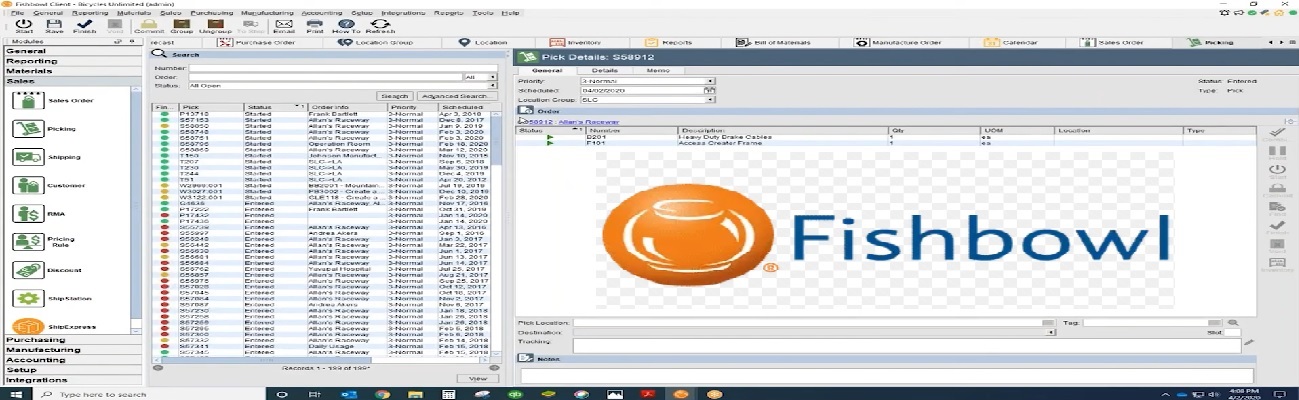
Fishbowl integration connects Fishbowl inventory management software with other business systems like EDI, accounting, eCommerce platforms, and shipping carriers. It streamlines operations by automating data exchange and improving efficiency.
Blog
Fishbowl Integration: Streamline Inventory Management
 Cogential IT
Reducing lead times, increasing perfect order rates, and automating repetitive processes are top priorities for today’s logistics and supply chain managers. Achieving these goals requires smart use of digital technology — but knowing where to start, what steps to take, and how to overcome integration challenges can be complex.
This guide explains how to build an efficient data exchange system that connects your company’s ERP (Enterprise Resource Planning) and WMS (Warehouse Management System). Using a real-world example of switching warehouse service providers for a large international apparel retailer, we’ll show practical insights applicable across multiple industries.
When Should You Optimize Your Data Exchange System?
- When changing or upgrading your warehouse service provider or ERP system
- When automating existing warehouse operations like labeling, shipment alerts, or stock reconciliation
What Is EDI Integration and Why Is It Important?
Electronic Data Interchange (EDI) automates the exchange of standardized digital files — such as text, XML, or Excel — using predefined data fields that both systems can interpret. The project manager’s role is to define the business requirements, create detailed technical specifications, and provide test cases to ensure seamless communication between systems.
Core EDI and Warehouse Integration Processes
- Goods Acceptance: Receiving and verifying incoming goods
- Order Assembly: Picking, packing, and preparing orders for shipment
- Shipment: Dispatching goods to customers or retail outlets
Understanding Item Types and Storage Methods
- Piece Goods: Individual items stored in specific warehouse locations
- Cross-Docking: Direct transfer of goods for wholesale clients without storage
- Point of Sale Materials (POSM): Items like display stands, packaging, and promotional materials
Some products don’t require physical storage but are tracked virtually with a “Status” flag. For example:
- Returned or discounted items kept in separate sections
- Blocked goods, such as defective products restricted from shipment
- Lost inventory awaiting investigation or reconciliation
Managing Inventory Discrepancies
Discrepancies between physical stock and digital records are common. Assigning a “Lost by Warehouse” status to missing items before stock counts ensures they are excluded from order picking. If found, their status can be changed back to “For Sale”, keeping inventory data accurate and up to date.
Item Status Categories
- Marriage (4): Combined or bundled goods
- Blocking (3): Items temporarily restricted from sale
- Lost by Warehouse (2): Goods unaccounted for during stock audits
- For Sale (1): Items available for distribution
Breaking Down Warehouse Processes into Subprocesses
Create a detailed workflow map (e.g., in Excel) showing each warehouse handling step. This clarity helps IT teams design precise EDI message structures and ensures reliable system integration between ERP and WMS platforms.
A) Acceptance Process
- Receiving acceptance tasks from the ERP system
- Unloading, sorting, and placing goods in storage
- Verifying quantity and quality, assigning bin locations
- Sending confirmations and discrepancy reports back to ERP
B) Order Assembly
- Receiving assembly tasks and generating waybills
- Picking items and preparing shipments
- Providing additional services if required
- Packaging, labeling, and printing packing lists
- Moving completed orders to the dispatch area
- Sending confirmation of order assembly to ERP
C) Shipment
- Loading goods onto vehicles
- Generating shipment documents such as waybills and manifests
- Confirming shipment completion through EDI messages
EDI Message Flow
Because most EDI messages are unidirectional, each subprocess should specify the direction of data flow and define which message types (such as EDI 940, 945, or 856) are used. Establishing this flow prevents duplication and ensures accurate synchronization between systems.
At Cogential IT, we make connecting with your EDI partners seamless. Our trusted EDI integration solutions give you complete visibility across your supply chain and tighter control over warehouse data exchange. By automating processes and ensuring data accuracy, we help businesses achieve faster operations, reduced costs, and measurable performance improvements.
Frequently Asked Questions
What is Fishbowl integration?
What are the benefits of integrating Fishbowl with EDI?
Which business systems can be integrated with Fishbowl?
How does Cogential IT help with Fishbowl integration?
Is Fishbowl integration suitable for small and large businesses?
Discussion & Questions (0)
Free checklist
Get the Industry EDI Compliance Checklist
Use this checklist to prepare your Industry EDI workflow before onboarding.
Document readiness checks
ERP and system integration planning
Testing and go-live support checklist
Exception and acknowledgment monitoring
Leave a Comment