
Microsoft Dynamics Integration: Unlock Greater Efficiency, Accuracy, and Scalability
Microsoft Dynamics is a powerful suite of enterprise resource planning (ERP) and customer relationship management (CRM) solutions. However, businesses often rely on multiple platforms to manage sales, finance, inventory, e-commerce, supply chain, customer relationships, and other critical operations.
Connecting Microsoft Dynamics with these business-critical systems allows organizations to eliminate data silos, automate repetitive processes, and create a more consistent flow of information across departments.
Whether your organization uses Dynamics 365, Dynamics AX, Dynamics NAV, or Dynamics GP, a well-designed integration strategy can help improve productivity, data accuracy, operational visibility, and long-term scalability.
Why Integrate Microsoft Dynamics?
Microsoft Dynamics can serve as a central business platform, but organizations rarely operate with a single application. E-commerce platforms, payment systems, warehouse applications, business intelligence tools, and specialized business software often need to exchange information with Dynamics.
Integration creates a connected environment where data can move between applications without requiring employees to repeatedly enter or transfer the same information.
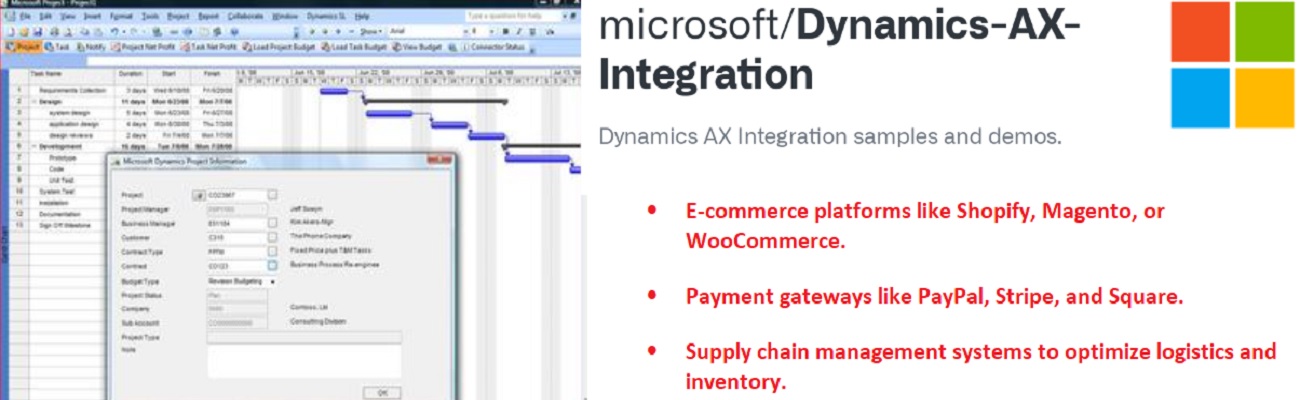
- E-commerce platforms such as Shopify, Magento, and WooCommerce
- Payment gateways such as PayPal, Stripe, and Square
- Supply chain and inventory management systems
- Business intelligence and reporting platforms
- Third-party HR, marketing, and communication applications
- EDI and B2B transaction platforms
Businesses looking to connect multiple applications can also explore broader integration solutions designed around their existing technology environment and operational requirements.
Key Benefits of Microsoft Dynamics Integration
Real-Time Data Synchronization
Integration enables information to move between Microsoft Dynamics and connected applications without unnecessary manual intervention. Sales orders, inventory information, customer records, and other business data can remain synchronized across systems.
Improved Productivity
Automating repetitive activities such as data entry, invoicing, order processing, and reporting allows employees to spend more time on tasks that require business judgment and customer interaction.
Better Decision-Making
Bringing information from multiple systems together provides decision-makers with a more complete operational view. Consistent and current data can support better reporting, forecasting, and business planning.
Enhanced Customer Experience
Integrated systems give customer-facing teams access to relevant information from connected applications. This can help teams respond faster, provide more consistent service, and reduce delays caused by disconnected data.
Scalable Business Operations
A properly designed integration architecture can accommodate increasing transaction volumes, additional applications, and changing business requirements without requiring organizations to rebuild their entire technology environment.
Common Challenges in Microsoft Dynamics Integration
Data Compatibility Issues
Different applications may use different data structures, field names, formats, and validation rules. Data mapping and transformation are therefore important parts of a successful Dynamics integration.
System Complexity
Microsoft Dynamics environments can include multiple modules, customizations, legacy components, and third-party applications. Understanding the existing architecture is essential before designing an integration solution.
Performance at Scale
High transaction volumes require an integration architecture that can process data efficiently without unnecessarily affecting the performance of the connected systems. Integration workflows should be designed with scalability and error handling in mind.
Security and Compliance
Business integrations frequently involve sensitive financial, customer, operational, or transactional information. Secure authentication, controlled access, encrypted communication, and appropriate data-handling practices should therefore be considered throughout the integration lifecycle.
Microsoft Dynamics Integration Approaches
The right integration approach depends on the systems being connected, the type and volume of data being exchanged, business requirements, and the desired level of automation.
API-Based Integration
APIs provide a flexible way for applications to exchange data programmatically. They can support real-time or near-real-time communication between Microsoft Dynamics and third-party applications.
Organizations interested in API-driven connectivity can explore REST API integration as one approach for connecting modern business applications.
SOAP-Based Integration
Some enterprise applications and legacy environments rely on SOAP-based web services. Where this communication model is required, SOAP can provide a structured method for exchanging information between Dynamics and connected systems.
Businesses working with SOAP-based environments can evaluate SOAP integration as part of their broader integration architecture.
Flat File Integration
File-based integration can be useful when systems exchange structured files rather than communicating through APIs. CSV, XML, and other structured formats can be processed, transformed, and loaded into connected applications.
Organizations with file-based workflows can consider flat file integration when designing their Dynamics connectivity strategy.
Middleware-Based Integration
Middleware can provide an intermediary layer between Microsoft Dynamics and multiple external applications. This approach can simplify data transformation, routing, monitoring, and error handling in more complex environments.
Microsoft Dynamics Integration Use Cases
Dynamics 365 and E-Commerce Integration
Connecting Dynamics 365 with an e-commerce platform can automate the movement of information such as orders, customer details, inventory levels, and fulfillment updates. This reduces duplicate data entry and helps synchronize online sales with back-office operations.
Dynamics and Business Intelligence
Connecting Dynamics data with business intelligence platforms can provide reporting teams with information from multiple operational systems. Dashboards and analytical workflows can then be used to identify trends and support business decisions.
Dynamics and Payment Gateway Integration
Integrating payment systems with Dynamics can automate transaction tracking, reconciliation, and related financial workflows. This can reduce manual processing and provide finance teams with more consistent transaction information.
Dynamics and CRM Integration
Connecting customer-related applications with Dynamics can help synchronize customer information across sales, marketing, service, and other business functions. A more consistent customer data environment can support better coordination between teams.
Dynamics and EDI Integration
Businesses that exchange standardized documents with customers, suppliers, retailers, or logistics providers can connect Microsoft Dynamics with their EDI environment. This allows transactions to move between trading partners and internal business systems with less manual intervention.
Organizations looking to connect their ERP environment with trading partners can explore B2B EDI integration as part of their overall business integration strategy.
Building a Customized Microsoft Dynamics Integration Strategy
There is no single integration architecture that works for every Microsoft Dynamics environment. The appropriate approach depends on the organization's applications, data requirements, transaction volumes, security considerations, and long-term objectives.
-
1. Analyze the Existing Environment
Identify the Dynamics version, connected applications, business processes, data sources, transaction volumes, and existing integration points.
-
2. Define Integration Requirements
Determine which systems need to communicate, what information needs to be exchanged, how frequently data should move, and which processes should be automated.
-
3. Select the Integration Method
Choose an appropriate approach such as APIs, web services, file-based integration, middleware, or a combination of multiple methods.
-
4. Map and Transform Data
Define how information from each source system corresponds to fields and structures within Microsoft Dynamics and the connected applications.
-
5. Test and Monitor the Integration
Thoroughly test data flows, error handling, security controls, and business rules before production deployment. Continue monitoring the integration after launch to identify and resolve issues quickly.
Why Choose Cogential IT for Microsoft Dynamics Integration?
Proven Integration Expertise
Integration projects can involve multiple applications, data structures, business rules, and communication methods. An experienced integration team can help organizations design an architecture that fits their existing technology environment.
End-to-End Support
A successful integration requires more than initial development. Requirements analysis, mapping, testing, deployment, monitoring, maintenance, and troubleshooting all play a role in maintaining reliable system communication.
ROI-Focused Solutions
Automation should solve measurable business problems. A well-planned Dynamics integration can reduce repetitive work, improve data consistency, streamline operational workflows, and help teams make better use of their existing systems.
Client-Centric Approach
Every organization has different systems, workflows, and integration requirements. Solutions should therefore be designed around the specific business processes and technical environment rather than forcing every organization into the same architecture.
How to Get Started With Microsoft Dynamics Integration
A structured implementation process can reduce integration risks and make it easier to achieve the desired business outcomes.
- Consultation: Discuss your business objectives, existing systems, integration requirements, and technical constraints.
- Planning: Develop an integration roadmap that defines data flows, connectivity methods, mappings, and implementation priorities.
- Implementation: Configure and deploy the integration while minimizing disruption to existing business operations.
- Testing: Validate data accuracy, transaction processing, error handling, performance, and security before production deployment.
- Support: Monitor the integration and make adjustments as business requirements, systems, and transaction volumes evolve.
Conclusion
Microsoft Dynamics integration can help businesses unlock more value from their ERP and CRM investments by connecting Dynamics with the applications that support their daily operations. Automated data exchange can reduce manual work, improve accuracy, increase visibility, and create more efficient business processes.
Whether you need to connect Dynamics with an e-commerce platform, payment system, business intelligence tool, ERP application, EDI environment, or another business-critical system, choosing the right integration architecture is essential.
With a carefully planned integration strategy and ongoing monitoring, organizations can build a connected Microsoft Dynamics ecosystem that supports current requirements while providing the flexibility to scale as the business grows.
Leave a Comment